It can be frustrating when you shop online, expecting a bit of money back, and then realize your cashback isn’t showing up. This happens more often than you think, especially if you’re new to using cashback sites. Don’t worry, though!
We’re here to make it easy to figure out.
This guide will break down the common reasons Why Is My Cashback Not Tracking? Top Reasons and Fixes so you can get back to earning. We’ll walk you through simple steps to solve the problem and make sure your cashback is tracked correctly next time.
Common Reasons for Un-Tracked Cashback
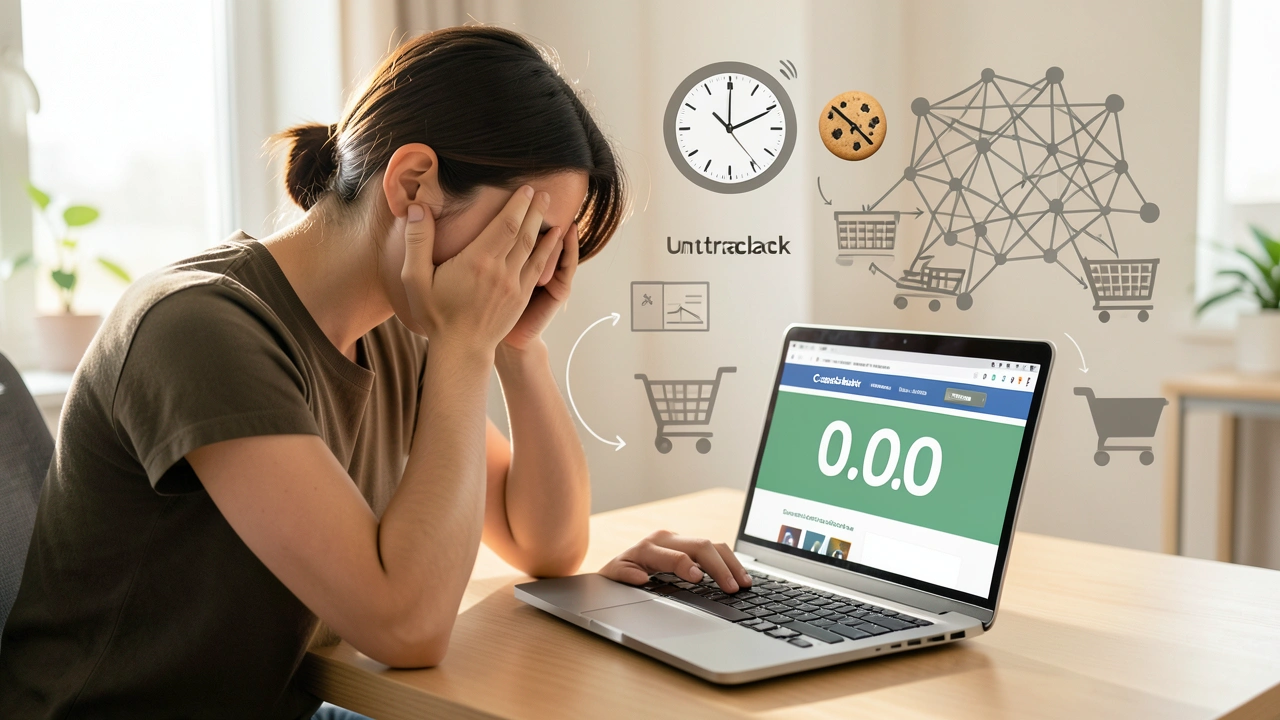
It’s a common puzzle for shoppers: you made a purchase, expecting a nice little refund, but the cashback simply isn’t showing up in your account. This can happen for several reasons, often tied to the way cashback sites work with retailers. Think of it like a chain reaction; if one link is broken, the whole process can falter.
These sites rely on technology to connect your shopping activity back to them, and sometimes that connection gets interrupted. We’ll explore the usual suspects that cause this issue and how to fix them so you can enjoy your earnings.
Browser Cookies and Tracking
Cashback sites use small bits of data called cookies to track your shopping. When you click through a cashback site to a retailer, a cookie is placed on your browser. This cookie tells the retailer that you came from the cashback site, so they know to give the cashback platform a commission, which they then share with you.
If these cookies are blocked or deleted before you make a purchase, the cashback site won’t know you made a purchase through them.
This is like sending a letter but forgetting to put the return address on it; the recipient knows it arrived, but they don’t know who sent it. Sometimes, other websites or even your browser settings can interfere with these cookies. It’s a common oversight that leads to missed earnings.
- What Cookies Do: They store small pieces of information about your visit to a website. For cashback, this includes a unique ID that links your purchase back to the cashback provider.
- Why They Matter: Without these cookies, the cashback site has no record of your shopping trip. It’s like a detective losing the only clue to a case.
- Common Problems: Your browser might be set to block cookies, or another website might have overwritten the cashback cookie with its own.
To ensure cookies are working correctly, always check your browser settings. Make sure you aren’t clearing cookies automatically after each session. It’s also a good idea to avoid clicking on other advertisements or links between the cashback site and the retailer’s checkout page.
Ad Blockers and Privacy Extensions
Many people use ad blockers or privacy extensions to make their browsing experience cleaner and safer. While these tools are great for blocking unwanted ads and trackers, they can sometimes be too aggressive. They might accidentally block the cookies or tracking pixels that cashback sites rely on to record your purchases.
Imagine wearing a really good pair of sunglasses that block out everything, even the helpful signs you need to see. These extensions, by design, block many types of online tracking. While this is good for general privacy, it can interfere with the specific tracking needed for cashback to work.
This is why many cashback sites will remind you to disable them temporarily.
- How They Work: Ad blockers identify and remove advertisements and other tracking scripts from websites. Privacy extensions go further by blocking various methods websites use to track your online activity.
- The Conflict: The tracking scripts used by cashback platforms are often similar to those blocked by ad blockers. This can lead to your cashback transaction not being registered.
- Solutions: You can often add specific cashback sites to an “allowlist” in your ad blocker settings. This tells the blocker to ignore tracking on those particular sites.
It’s a delicate balance. You want to protect your privacy, but you also want to get your cashback. Many users find success by disabling their ad blockers only for the cashback site and the online store during the shopping process.
This way, you get the best of both worlds.
Purchasing Through the Retailer Directly
One of the most straightforward reasons for missing cashback is simply not starting your shopping trip by clicking through the cashback portal. Cashback sites earn a commission from retailers when a customer clicks their unique link and makes a purchase. If you go directly to the retailer’s website on your own, or through a bookmark, the retailer doesn’t know to credit the cashback site, and therefore, you won’t receive any cashback.
This is like forgetting to tell the shop assistant you have a coupon before you pay. The shop might have a great deal, but without telling them, you can’t use it. Always start at your chosen cashback site first.
It’s the critical first step in the cashback process.
- The Click-Through Process: Always begin by visiting your cashback site and then clicking the link to the retailer. This initiates the tracking process.
- Direct Visits: If you go to the retailer’s site directly, the cashback platform doesn’t get credit for sending you. This means no commission, and no cashback for you.
- Best Practice: Make it a habit to bookmark your favorite cashback sites and always start your online shopping there.
Consider it the entry ticket to earning. Without that initial click from the cashback site, your purchase is invisible to their tracking system. It’s a simple step that makes a huge difference.
Using Coupon Codes Not Provided by the Cashback Site
Retailers often have various coupon codes available. However, if you use a coupon code that wasn’t provided by your cashback site, it can often void the cashback. The reason for this is that retailers have agreements with different partners.
When a cashback site provides a link and a special code, they are essentially partnering on that sale. If you bring in a code from another source, the retailer might attribute the sale to that other source, or simply cancel the cashback because the terms of the original deal weren’t met.
This is like trying to use two different discount coupons at the same time at a store; often, only one is allowed. The retailer’s system is set up to recognize a specific affiliate for a specific transaction. Using an outside coupon can confuse this system and prevent the cashback from being recognized.
Always check if the cashback site offers a code first!
- Coupon Code Conflicts: Many cashback sites have a “coupon policy.” This policy usually states that using external coupon codes can void your cashback.
- Why This Happens: Retailers have affiliate agreements with various companies. Using a code from a non-affiliated source can redirect the commission, meaning the cashback site doesn’t get paid.
- Recommended Action: Before you complete your purchase, check the cashback site for any available coupon codes. If they offer one, use it. If not, and you find one elsewhere, be aware that it might affect your cashback.
Some cashback sites will allow you to use their own codes without issue. However, codes found on general coupon sites or other deal websites are more likely to cause problems. It’s always a good idea to stick to the codes provided directly by your cashback partner for that specific purchase.
Automatic Cashback or Browser Extensions of Retailers
Some retailers have their own browser extensions or automatic cashback features. For example, if you have an extension for Retailer X installed, and you go directly to Retailer X’s site, it might offer you cashback. If you then click through a different cashback site to Retailer X, the retailer’s own system might override the cashback from the third-party site.
The retailer’s system often takes precedence because it’s directly linked to them.
This is like having two different people trying to give you a discount for the same item. The store can only apply one. When multiple cashback systems try to claim credit for the same purchase, it can cause a conflict.
Usually, the system closest to the retailer (like their own extension) or the one that was activated last might win out, leading to the loss of cashback from other sources.
- Conflicting Systems: Having multiple cashback browser extensions active simultaneously can lead to tracking conflicts.
- Priority Issues: Retailer-specific extensions or loyalty programs often have priority over general cashback sites.
- Troubleshooting: It’s generally best to use only one cashback browser extension at a time for a specific purchase. If you have extensions from both a general cashback site and the retailer, disable one before shopping.
To avoid this, it’s often recommended to disable all cashback browser extensions except for the one you intend to use for that specific purchase. This ensures a clear tracking path and reduces the chances of conflicts. Always verify which extension is active before you click through to the retailer.
Cashback on Returned or Exchanged Items
If you return an item you purchased, or exchange it for something else, the cashback you received for that original purchase will typically be reversed. This is standard practice for most cashback programs and retailers. The cashback is based on the final sale price after any discounts and before returns.
When an item is returned, the sale is essentially undone from the retailer’s perspective, and therefore, the commission earned is canceled.
It’s like borrowing money and then having to give it back. The cashback is awarded based on a successful, completed transaction. If that transaction is later canceled through a return or exchange, the cashback is also canceled.
This is a fair policy to ensure cashback is only earned on items you keep.
- Return Policies: Most cashback terms and conditions state that returns or exchanges will result in the reversal of earned cashback.
- Timing of Reversal: The reversal usually happens after the retailer processes the return. This might take a few weeks, depending on their procedures.
- What to Do: If you’re unsure about a return, check the cashback site’s policy or contact their support. It’s generally best to wait until after the return period has passed before assuming your cashback is final.
It’s important to be aware of this policy. If you are planning to return an item, understand that the associated cashback will likely be removed from your account. This is a standard part of the cashback ecosystem, ensuring fairness for both the shopper and the cashback provider.
Technical Glitches or Delays
Sometimes, the reason your cashback isn’t tracking is simply a technical glitch or a delay in the system. The process involves several parties: you, the retailer, the cashback site, and sometimes payment processors. Any step in this complex chain can experience temporary issues.
Retailers might have system updates, or cashback sites might be undergoing maintenance, which can briefly affect tracking.
Think of it like a delivery service experiencing a temporary delay due to bad weather. The package is still on its way, but it’s taking longer than usual. These issues are usually resolved quickly.
Cashback transactions might appear delayed rather than completely lost. Patience is often key in these situations, along with knowing how to follow up.
- System Delays: It can take a few hours, or sometimes even up to 48 hours, for a purchase to appear as pending in your cashback account.
- Technical Issues: Occasionally, there might be broader technical problems with the cashback platform or the retailer’s tracking systems.
- What to Expect: If your purchase doesn’t appear after a reasonable waiting period, it’s time to investigate. Don’t assume it’s lost immediately.
It’s common for purchases to take a little time to show up. Many cashback sites recommend waiting at least 24-48 hours before contacting them about a missing transaction. This allows time for any minor system delays to clear up.
If it still hasn’t appeared after this period, then it’s time to reach out for help.

How to Fix Un-Tracked Cashback
When your cashback doesn’t show up, it’s natural to feel a bit disappointed. But don’t worry, there are steps you can take to try and resolve the issue. Most problems are fixable, and the cashback platforms usually want to help you get the earnings you deserve.
Following a clear process can often lead to a successful resolution.
We’ll go through the practical solutions that can help you reclaim your missing cashback. This includes checking your own settings, gathering information, and knowing how to contact support effectively. It’s about empowering you to get your money back.
Check Your Purchase History and Cashback Account
Before contacting support, the first step is always to check your own records. Look at your order confirmation from the retailer. Does it match the purchase you made?
Then, check your cashback account. Sometimes transactions are pending and just haven’t become available yet. Also, review the purchase dates and amounts to ensure you’re looking for the correct transaction.
It’s like double-checking your receipt at the store. You want to make sure everything is accounted for on your end before asking for help. This step saves time for everyone involved.
You might find that the transaction is there, just not yet finalized, or that a small detail is different.
- Review Retailer’s Order Confirmation: Ensure the details (items, price, date) match what you expect.
- Check Cashback Account Regularly: Look for a “pending” or “awaiting approval” status, which is normal for a short period.
- Verify Transaction Details: Make sure you’re searching for the correct date and amount if you have multiple purchases.
Sometimes, the cashback simply appears in your account a few days later. Patience is important here, but so is staying organized. Keeping track of your orders makes this step much easier.
Review Browser Settings and Extensions
As we discussed, browser settings and extensions are frequent culprits. Go into your browser’s settings and look for options related to cookies. Make sure they are not set to clear automatically after you close the browser.
Also, review your installed extensions. Temporarily disable all ad blockers and privacy extensions, and then try making a small test purchase through the cashback site again.
It’s like checking if all the tools in your toolbox are working properly before you start a big project. If one tool is faulty, it can mess up the whole job. By checking and adjusting your browser settings, you’re ensuring that the path for cashback tracking is clear.
- Cookie Settings: Ensure cookies are enabled and not set to delete upon closing the browser.
- Extension Management: Identify and temporarily disable ad blockers, VPNs, and privacy tools.
- Whitelist Cashback Sites: If possible, add your preferred cashback sites to the allowed list in your extensions.
After disabling extensions and checking settings, try using the cashback site again. If your missing purchase is from a while ago, this check is more about preventing future issues. But if you shop again, these adjustments can make a difference.
Contact the Cashback Site’s Support
If you’ve waited the recommended time (usually 24-48 hours) and checked your settings, and the cashback still hasn’t appeared, it’s time to contact the cashback site’s customer support. Most sites have a dedicated “Contact Us” or “Help” section. You’ll usually need to provide details about your purchase, including the order number, date of purchase, amount, and the retailer.
Think of customer support as your allies. They are there to help solve these problems. Providing them with all the necessary information upfront makes their job easier and speeds up the resolution process for you.
Be polite and clear in your communication.
- Gather Information: Have your order number, retailer name, purchase date, and amount ready.
- Explain the Situation Clearly: State that the cashback for a specific purchase has not tracked.
- Be Patient: Support teams may need time to investigate your claim with the retailer.
Many cashback sites have a “missing cashback” form or a specific process for these issues. Follow their instructions carefully. They will often investigate by contacting the retailer on your behalf to trace the transaction.
Contact the Retailer Directly
In some cases, the cashback site might ask you to contact the retailer directly. This is usually a last resort, or if the cashback site believes the issue lies with the retailer’s tracking. When you contact the retailer, explain that you made a purchase through a specific cashback site and that the transaction did not track.
Provide them with your order details.
This is like going to the source of the problem. If the retailer’s system is where the tracking failed, they are the ones who can potentially fix it. Sometimes, they can manually confirm the sale with the cashback provider.
Be prepared to explain how cashback tracking works so they understand your situation.
- When to Contact Retailer: If cashback site support directs you to, or if you’ve exhausted other options.
- What to Provide: Your order number, the name of the cashback site you used, and the date of purchase.
- What to Ask: Inquire if they can confirm the sale originated from the cashback affiliate link.
This step can sometimes be more challenging as retailers may not always be equipped to handle specific cashback affiliate inquiries. However, it’s a necessary step if the cashback site requires it for their investigation.
Keep Records of Everything
A crucial habit for anyone using cashback sites is to keep good records. Save all your order confirmation emails, any correspondence with cashback sites or retailers, and screenshots of your account activity. This documentation is invaluable if you need to dispute a missing cashback claim.
Think of these records as your proof. In any situation where you need to show what happened, having clear evidence is key. The more details you have, the stronger your case will be if there’s a disagreement.
It also helps you remember the specifics of each transaction.
- Save Order Confirmations: Keep all emails from retailers detailing your purchases.
- Screenshot Your Cashback Account: Take pictures of your pending and finalized cashback amounts.
- Document Communications: Keep copies of emails or chat logs with customer support.
This diligent record-keeping ensures you have all the necessary information readily available. It makes the process of resolving missing cashback much smoother and increases your chances of a positive outcome.
Understanding Cashback Tracking Technology
Cashback works through a fascinating system of tracking and affiliate marketing. When you click a link on a cashback site, it’s not just a simple redirect. It’s a carefully engineered process designed to record your activity and ensure that the cashback provider gets credit for sending you to the retailer.
Understanding the basics of how this technology functions can help you avoid common pitfalls and troubleshoot effectively.
This section will break down the technical elements in simple terms. We’ll explain what cookies are, how affiliate links work, and why the technology sometimes falters. Knowing these details helps you appreciate why certain steps are important for successful cashback tracking.
It’s about demystifying the behind-the-scenes magic.
Affiliate Links and Tracking IDs
When you click on a link from a cashback site to a retailer, it’s usually an “affiliate link.” This link contains a unique identifier, often called a tracking ID or affiliate ID. This ID tells the retailer that you were referred by a specific cashback platform. The retailer’s system then records this referral.
This is the primary way cashback sites ensure they get credit for sending customers.
Think of an affiliate link like a special delivery address for a package. Instead of just a street address, it has a specific code that tells the postal service (the retailer) exactly which company sent the package (the cashback site). This code is essential for tracking and for the retailer to know which affiliate to pay a commission to.
- What is an Affiliate Link: A URL that includes special code identifying the referrer.
- The Role of the Tracking ID: This unique code connects your purchase back to the cashback platform.
- How Retailers Use It: Retailers use these IDs to track sales generated by their affiliate partners and calculate commissions.
Without these affiliate links, the cashback system would have no way to connect your purchase to the cashback provider. It’s the foundational technology that makes cashback possible. Always ensure you are using the link provided by the cashback site.
The Role of Cookies in Tracking
Cookies are small text files that websites store on your computer. In the context of cashback, when you click an affiliate link, a cookie is typically placed on your browser. This cookie acts as a digital bookmark, remembering that you came from a specific cashback site.
When you proceed to make a purchase, the retailer’s system checks for this cookie to confirm the referral.
Imagine leaving a breadcrumb trail. When you click the affiliate link, you drop a breadcrumb (the cookie). This trail leads directly to the cashback provider.
If you accidentally step on and erase those breadcrumbs (delete cookies) or take a detour, the trail is broken, and the cashback provider might not find their way back to your purchase.
- Cookie Functionality: They store small bits of data, including referral information, session details, and user preferences.
- Cashback Cookie Process: After clicking an affiliate link, a cookie is set to remember the cashback site. This cookie must be present when you complete your purchase.
- Potential Issues: Browser settings that block cookies, clearing cookies too soon, or other sites overwriting the cashback cookie can disrupt tracking.
For successful tracking, it’s vital that these cookies remain intact from the moment you click the affiliate link until your transaction is completed. This is why disabling cookie clearing and ad blockers is often recommended.
Pixel Tracking and Conversion Tracking
Many cashback sites and retailers also use “pixel tracking” or “conversion tracking.” This involves embedding a small piece of code (a pixel) on the retailer’s confirmation page. When your purchase is complete, this pixel fires, sending a signal back to the cashback platform that a successful transaction has occurred. This signal confirms that a sale originated from their referral.
Think of a pixel as a tiny, silent alarm system. Once your purchase is confirmed, this alarm goes off and sends a message to the cashback site saying, “Success! A sale just happened thanks to you.” This confirms the conversion and allows the cashback to be credited.
It’s an important part of the automated process.
- What is a Pixel: A tiny image file or script embedded on a webpage that tracks user actions.
- Conversion Tracking: This process uses pixels to notify the cashback provider when a purchase is finalized.
- Importance: It’s a key mechanism for the automated confirmation of sales and the subsequent awarding of cashback.
If anything interferes with this pixel firing—such as JavaScript being blocked or other scripts on the page—the conversion might not be recorded. This highlights why a clean browsing session, free from overly aggressive blockers, is beneficial for cashback tracking.
Understanding “Pending” vs. “Approved” Cashback
When your cashback appears in your account, it’s usually in a “pending” state first. This means the transaction has been detected, but it’s not yet finalized. The retailer needs to confirm the sale, ensure the item wasn’t returned, and then approve the commission to the cashback site.
Only after this approval process is complete does the cashback become “approved” and available for withdrawal.
Pending cashback is like a check that has been deposited but hasn’t cleared yet. It’s a , confirming the transaction is on record. The approval stage is the final clearance.
This delay is normal and exists to account for returns, cancellations, and the retailer’s own processing times. It’s a system designed to protect against fraudulent or canceled sales.
- Pending Status: The transaction has been registered but is awaiting confirmation from the retailer.
- Approval Process: Retailers confirm sales, account for returns, and then release commissions to cashback sites.
- Withdrawal Eligibility: Only approved cashback can typically be withdrawn.
The time it takes for pending cashback to become approved can vary greatly, from a few weeks to a couple of months, depending on the retailer. Understanding this distinction helps manage expectations and prevents unnecessary worry about missing cashback.
Maximizing Your Cashback Earnings
Earning cashback is a smart way to save money on your regular online shopping. By following a few key strategies, you can ensure you’re getting the most out of every purchase. It’s not just about using cashback sites, but using them effectively and consistently.
We’ll explore tips and tricks to boost your savings and make your cashback journey more rewarding.
From choosing the right sites to understanding their policies, these tips are designed to help you maximize your returns. Let’s look at how you can turn your everyday shopping into significant savings over time.
Choose Reputable Cashback Sites
Not all cashback sites are created equal. Stick to well-established and reputable platforms that have a proven track record of paying out reliably. Look for sites with clear terms and conditions, good customer support, and positive reviews.
Popular options often have better relationships with retailers, leading to more tracking accuracy.
It’s like choosing a reliable bank for your money. You want a place you can trust. Researching different cashback sites and sticking with ones that have a good reputation will save you headaches and ensure you actually receive the money you earn.
Always check their payout thresholds and methods too.
- Research and Reviews: Look for reviews and user feedback to gauge reliability.
- Terms and Conditions: Read their policies on tracking, payouts, and missing cashback.
- Payout Options: Ensure they offer convenient ways to receive your money (e.g., PayPal, direct deposit, gift cards).
Using a few trusted sites rather than many unverified ones can simplify your process and reduce the chance of encountering issues. A consistent strategy with reliable partners is key.
Take Advantage of Sign-Up Bonuses
Many cashback sites offer attractive sign-up bonuses for new users. These bonuses can give your earnings a nice boost right from the start. Some might offer a fixed amount after your first purchase, while others might provide a percentage bonus on your initial earnings.
These are great incentives to try out a new platform.
Think of a sign-up bonus as a welcome gift. It’s a little extra reward for joining. By strategically signing up for bonuses on different platforms, you can quickly accumulate some initial cashback without even having to make a large purchase.
Just remember to check the requirements to receive the bonus.
- New User Incentives: Many sites offer cash or percentage bonuses for signing up and making your first purchase.
- Meet Requirements: Pay attention to any minimum purchase amounts or time limits to claim the bonus.
- Strategic Use: Sign up for bonuses on sites you plan to use regularly for maximum benefit.
These bonuses are a fantastic way to start your cashback journey with a little extra in your pocket. They make exploring different cashback providers even more appealing.
Compare Rates Across Different Sites
The percentage of cashback offered can vary significantly between different platforms for the same retailer. Before making a purchase, it’s wise to quickly compare the rates offered by your go-to cashback sites. Some sites might have special boosted rates for a limited time, or higher standard rates for certain popular stores.
It’s like comparison shopping for the best price. Why pay more for the same item when you can get a better deal elsewhere? Taking a moment to check different cashback rates can lead to noticeably higher earnings over time.
A few extra clicks can add up to a lot.
- Rate Shopping: Use cashback comparison tools or simply check your favorite sites before buying.
- Special Promotions: Look out for temporary “double cashback” or boosted rate offers.
- Consider Payouts: While rate is important, also consider payout minimums and methods when choosing.
Many browser extensions can automatically show you the best cashback rates available for a particular retailer, making this comparison even easier. Making this a habit will significantly increase your overall cashback earnings.
Understand Payout Thresholds and Methods
Each cashback site has a minimum amount of earnings you need to reach before you can withdraw your money. This is called the payout threshold. Some sites have low thresholds, like $5 or $10, while others might be $25 or more.
Also, consider the payout methods they offer – PayPal, direct deposit, gift cards, etc. Choose sites that offer methods convenient for you and have reasonable thresholds.
It’s important to know when you can actually get your hands on your hard-earned money. A high payout threshold might mean you have to wait a long time to withdraw, especially if you don’t shop often. Understanding these details upfront helps you choose the best sites for your shopping habits.
- Minimum Withdrawal Amounts: Know how much you need to earn before cashing out.
- Available Payout Options: Check if they offer payment methods you prefer (e.g., PayPal, bank transfer, gift cards).
- Processing Times: Some payout methods may take longer than others to process.
Selecting sites with payout methods and thresholds that align with your needs will make the cashback experience more satisfying. It ensures your earnings become usable cash when you need it.
Troubleshooting Specific Retailer Issues
Sometimes, the problem isn’t with the cashback site itself, but with how a particular retailer integrates with the tracking technology. Certain types of purchases, specific retailer policies, or even technical quirks on the retailer’s end can cause tracking problems. Identifying these specific issues can often lead to a quicker fix.
We’ll look at some common scenarios involving particular stores or types of products. Understanding these nuances can help you avoid future tracking problems and resolve existing ones more effectively. It’s about being prepared for the common challenges.
Electronics and High-Value Purchases
Purchases of electronics or very high-value items can sometimes be subject to stricter tracking rules or might be excluded from cashback by certain retailers. Retailers might offer lower cashback rates on these items or have specific terms that can lead to tracking issues. Always check the fine print for high-ticket items.
Imagine buying a new TV. While you expect cashback, the retailer might have a policy that excludes certain expensive electronics, or offers a very small percentage. This isn’t always obvious and can lead to frustration.
Confirming the cashback rate and terms for big-ticket items is crucial.
- Check Exclusions: Some retailers exclude certain categories, like gift cards or very high-value electronics, from cashback.
- Varying Rates: Cashback rates can differ significantly for different product types within the same store.
- Verify Terms: Always check the specific cashback terms for the product category before purchasing.
If you’re buying something expensive, take an extra minute to confirm that the cashback is applicable and to what extent. This proactive step can save you disappointment later.
Gift Card Purchases
Purchasing gift cards through a retailer, even if you are buying them to spend at that same retailer later, often does not earn cashback. Most cashback programs exclude gift card purchases from their tracking. The reasoning is that the cashback is intended for the purchase of goods or services, not for a financial instrument like a gift card.
It’s like trying to get a discount on a gift certificate; the store usually won’t allow it. Cashback is meant to reward you for spending money on products. When you buy a gift card, you’re essentially giving the retailer cash for future use, which doesn’t represent a “sale” in the traditional sense for the cashback provider.
- Common Exclusion: Purchases of gift cards are almost universally excluded from cashback earnings.
- Why: Cashback is based on completed transactions for goods and services, not financial instruments.
- Confirmation: Always check the specific terms of the cashback site regarding gift card purchases.
If you want to use a gift card, it’s often best to buy it separately or understand that you won’t earn cashback on that specific transaction. Then, when you use the gift card to buy something else, ensure you go through the cashback site again.
Subscription Services and Recurring Payments
Cashback on subscription services or recurring payments can be tricky. Some retailers offer cashback on the first payment only, while others might offer it on recurring payments for a limited time. It’s also possible that the tracking might fail after the initial sign-up.
It’s essential to read the terms carefully for any subscription service.
Signing up for a monthly service can be a great way to save, but the cashback can sometimes be inconsistent. You might get it for the first month, but then it stops, or perhaps it never tracked at all. Being aware of these specific rules for subscriptions is key to avoiding surprises.
- First Payment Only: Many subscriptions offer cashback only on the initial sign-up fee.
- Limited Duration: Some may offer cashback for a few months, but not indefinitely.
- Tracking Consistency: Recurring payments can sometimes fall off the tracking radar after the first cycle.
If you’re signing up for a subscription, double-check the cashback terms. If you only get cashback on the first payment, consider if the deal is still worthwhile. For ongoing cashback, confirm that the platform explicitly states it covers recurring payments.
Frequently Asked Questions
Question: Why does my cashback sometimes take weeks to appear?
Answer: Cashback takes time because it’s usually awarded on a pending basis. The retailer needs to confirm your purchase, ensure you haven’t returned the item, and then approve the commission to the cashback site. This process can take anywhere from a few weeks to a couple of months.
Question: Can I use a coupon code I found on another site with my cashback?
Answer: Generally, no. Using coupon codes not provided by the cashback site often voids your cashback. Retailers may attribute the sale to the source of the coupon, or the terms of the cashback agreement might be broken.
Question: What should I do if my cashback still hasn’t tracked after a month?
Answer: After waiting the recommended time (usually 24-48 hours initially, but then longer for approval), contact the cashback site’s customer support. Provide them with all your purchase details, including order numbers and dates. They can then investigate with the retailer.
Question: Will returning an item cancel my cashback?
Answer: Yes, almost always. If you return an item that you received cashback for, the cashback will be reversed from your account. This is because the original sale is undone.
Question: Is it safe to disable my ad blocker for cashback sites?
Answer: Yes, it is generally safe and often necessary. Cashback sites need to use tracking cookies and scripts to function. Disabling ad blockers temporarily for these sites allows them to track your purchases correctly.
Reputable cashback sites are safe to use.
Summary
Missing cashback is a common issue, but understanding the reasons like cookie problems, ad blockers, or not starting through the cashback site makes it fixable. By checking your settings, keeping good records, and contacting support with all details, you can resolve most tracking problems. Always start your shopping via the cashback link, use only their provided codes, and be patient with pending transactions.